Welcome to CQify - Let’s Get Started
You’re officially onboard 🎉
This page walks you through the exact steps we need you to complete so we can begin building your funnels, automations, campaigns, and messaging systems.
This onboarding is shown after your deposit has been paid. Please complete each step in order so we can move quickly without delays.
Most clients complete this in 60 –90 minutes.
The #1 Automation & Text Messaging Platform For Small Businesses
The first ever platform built to manage a Business's Follow up, two-way texting, pipeline, scheduling, and so much more.
Built for Agencies, By an Agency.
Your End-To-End Funnel Marketing Solution
Build forms and funnel pages to capture leads, user automated sms, email, phone calls, voicemails, and Facebook Messages to nurture leads through custom pipelines, converse with leads & clients via text, phone, and Facebook Messenger (all in one stream!), and more!
Watch This First: Your CQIFY Setup Walkthrough
This short video shows you exactly how to complete each onboarding step so we can start building your funnels, automations, and campaigns without delays.
Step 1: Register Your Go High Level Sub-Account (CQIFY System)
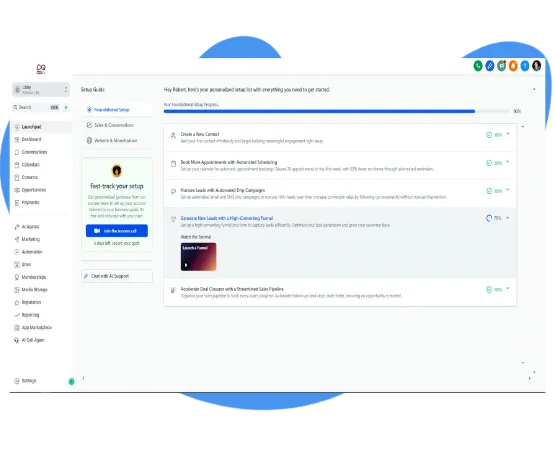
To get started, you’ll need to activate your Go High Level sub-account under the CQify platform.
Click the button below to register your account and enter your payment details. You’ll receive 30 days of full access at no cost, giving us time to build and configure the majority of your funnels, automations, and campaigns.
What to do:
Click the registration button below
Create your login details
Add your payment information to activate the 30-day trial
Access your Go High Level dashboard
Why this matters:
This sub-account is where all of your funnels, automations, CRM data, email, SMS, and ClickCampaigns campaigns will be built and managed.
Your subscription will only begin after the 30-day trial ends, and by then your core systems should already be built and ready to run.

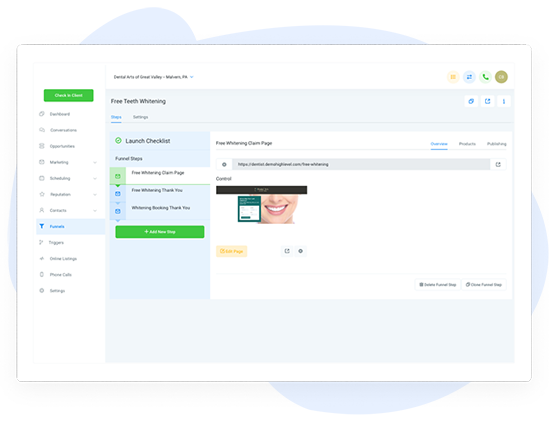
Build Forms & Landing Pages To Capture Leads
Use our drag-and-drop form and funnel builders to create landing pages that convert traffic to leads that get stored in HighLevel.
Step 2: Create Your Brand Base (BrandBaser.com)
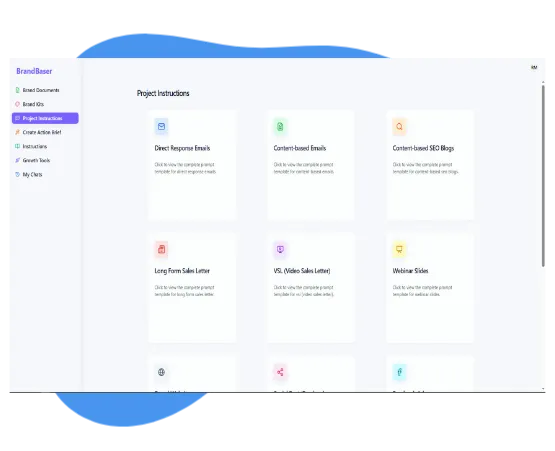
To get the messaging, positioning, and creative direction right, you’ll complete your Brand Base inside BrandBaser.
There is a walkthrough training video inside BrandBaser that shows you exactly how to fill this out - so start there.
What to do:
Go to https://brandbaser.com/
Log in using the credentials you received (or create your account if prompted)
Watch the BrandBaser walkthrough video at the top of the page
Complete your Brand Base by filling in the fields with as much detail as possible
Send us the text doc by email
Why this matters:
Your Brand Base is the foundation for all messaging, funnels, automations, and campaigns. Quality here speeds up the rest of the build.
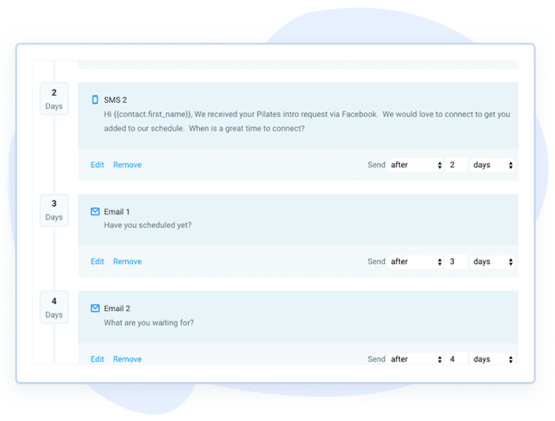
Convert Leads With Robust Automations
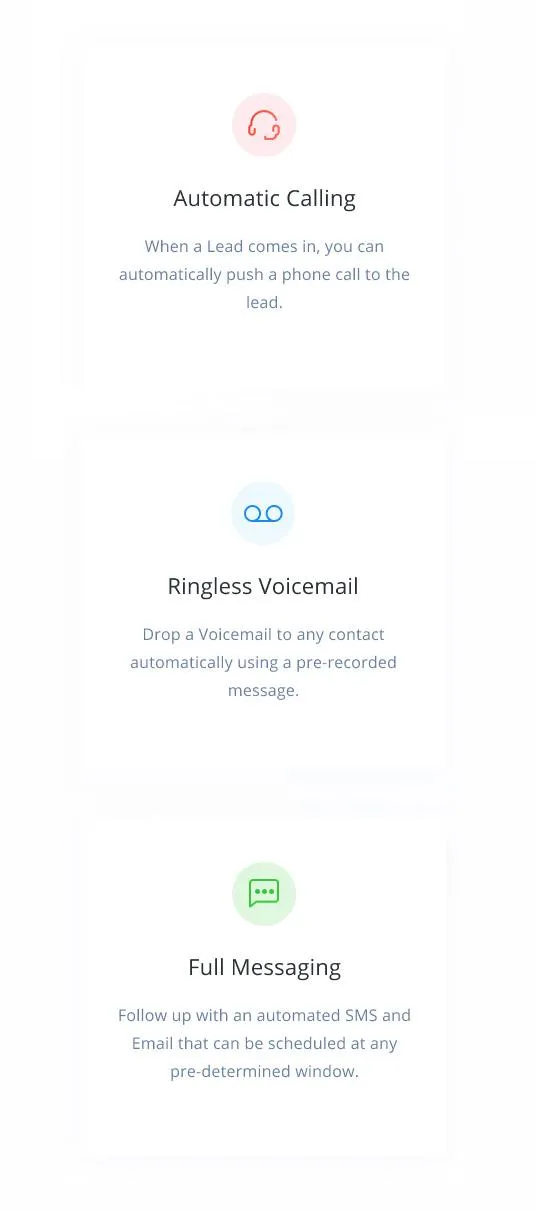
Build custom nurture campaigns that send text messages, emails, voicemails, and even Facebook messages to convert leads automatically.

Step 3: Access Your Project Workspace
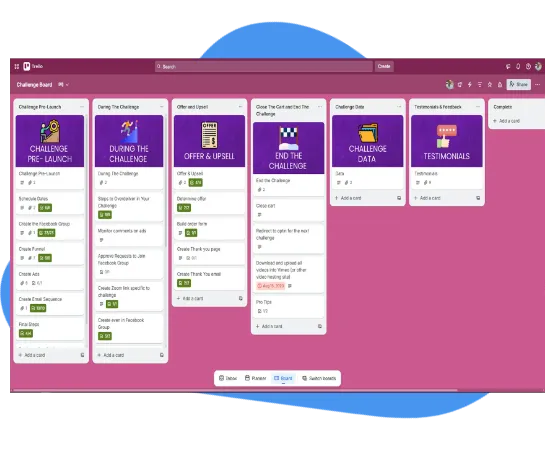
Your Trello workspace is where all tasks, timelines, feedback, and approvals are managed.
This keeps everything transparent and organised.
What to do
Accept your Trello invitation (sent to your email)
Review the onboarding checklist board
Upload any requested information
Use comments for feedback instead of email
Why this matters:
Clear communication speeds up builds and avoids delays.
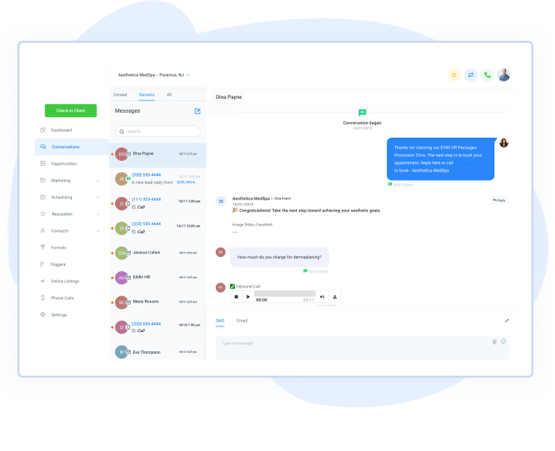
Converse With Leads & Customers In One Place
Keep track of conversations whether they happen via text message, email, phone calls, or Facebook messages. Two-way text included!
Step 4: Connect Payments & Required Integrations
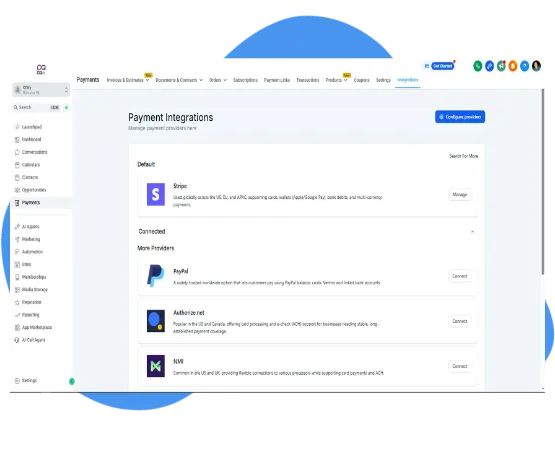
We’ll connect your payment processor and required tools so funnels, automations, and offers work correctly.
What to do
Open a Stripe account
Connect Stripe (or your preferred processor in GHL)
Confirm product pricing
Provide any existing checkout links
Approve subscription setup if required
Why this matters:
Without payment integration, funnels cannot launch.
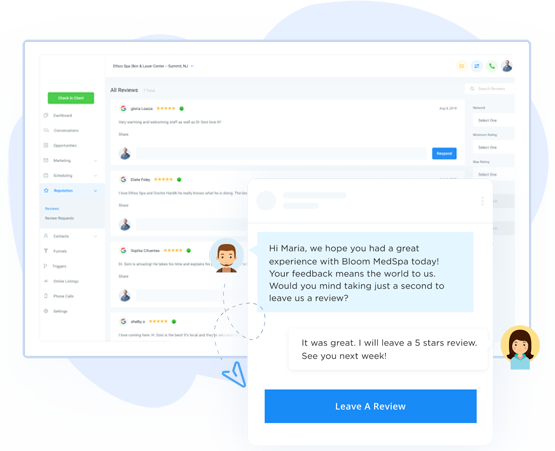
Build & Manage Your Online Reputation
Send review requests via SMS and email with the push of a button. Monitor and reply to new reviews right within the dashboard.
Step 5: Upload Your Media & Assets
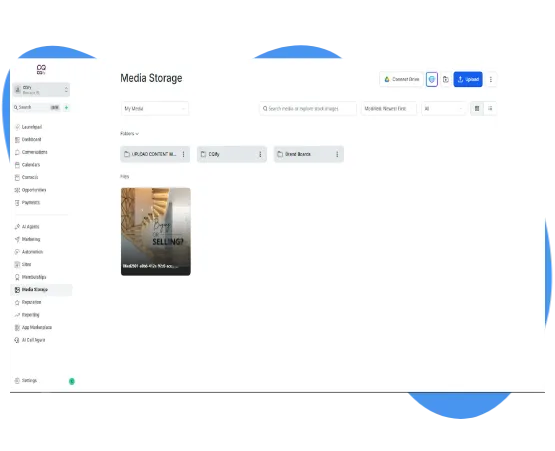
To build your funnels, campaigns, and automations efficiently, we’ll create a dedicated Upload Content media folder inside your Media Storage area.
This keeps all files organised and allows our team to access everything without delays.
All you need to do is place your assets into clearly named folders.
What to do
1. Open your Media Storage inside GoHighLevel
2. Double-click the UPLOAD CONTENT MEDIA HERE folder we created
2. Create folders based on asset type, for example:
• Logos → upload all logo files
• Content Videos → upload all video content
• Photos
• Testimonials
• Lead Magnets
• Brand Assets
• Ad Creatives
4. Upload the relevant files into each folder
Keep files grouped by type rather than mixing everything together.
Why this matters
A structured media library allows us to:
• Build faster
• Avoid missing assets
• Keep your brand consistent
• Make future updates easier
• Give your team a single source of truth
When files are organised into folders, we can move directly into build without chasing content.
Helpful tip
If you’re unsure where something belongs, create a new folder and name it clearly.
We can reorganise if needed.
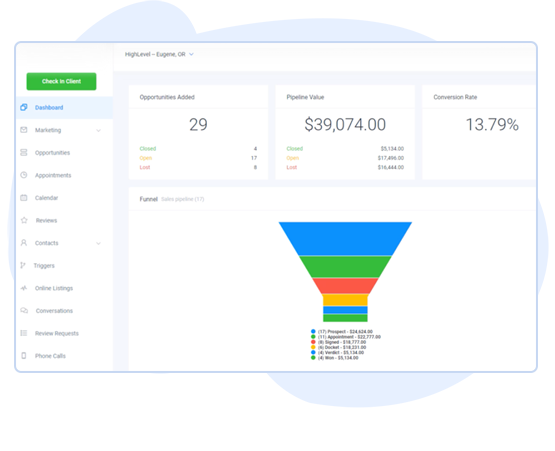
Complete Advanced Analytics Dashboard
The ability to track the ROI and Leads in a pipeline has become even easier through our advanced Dashboard. Track stats such as appointment rates, campaign effectiveness, and even response rates!
Tools We Use & Recommend
We build your systems using proven software that powers funnels, automation, lead generation, and growth.
These are the same tools we use inside client builds every day.
Where relevant, you’ll have the option to access preferred partner links, discounts, or pre-configured setups.






© Copyright 2026. CQify. All Rights Reserved.

"As a business owner, it is always important to know the numbers and statistics in your company. To know your best clients, programs, what is working or not working. Many of us spend years and thousands of dollars on software that we think will help, and spend too much money, time and effort to implement. And if we can’t understand it all, we have to invest/pay another person to understand and implement it all.
As a subscriber to multiple software platforms to keep our businesses at the forefront of the industry, I can truly share this software developed by High Level, makes my job as the CEO a simpler one. Meaning I can see new clients coming in the door from multiple resources, our company follow up, conversions, current client’s information, sales, and special offers in one place."
Christina Nelson
Facebook
Youtube
LinkedIn